

Account Setup & Login
Account Setup
Setting up your account is the first step to accessing Xenith's platform. This process ensures that your account is secure and ready for use. Follow these steps to complete your account setup:
-
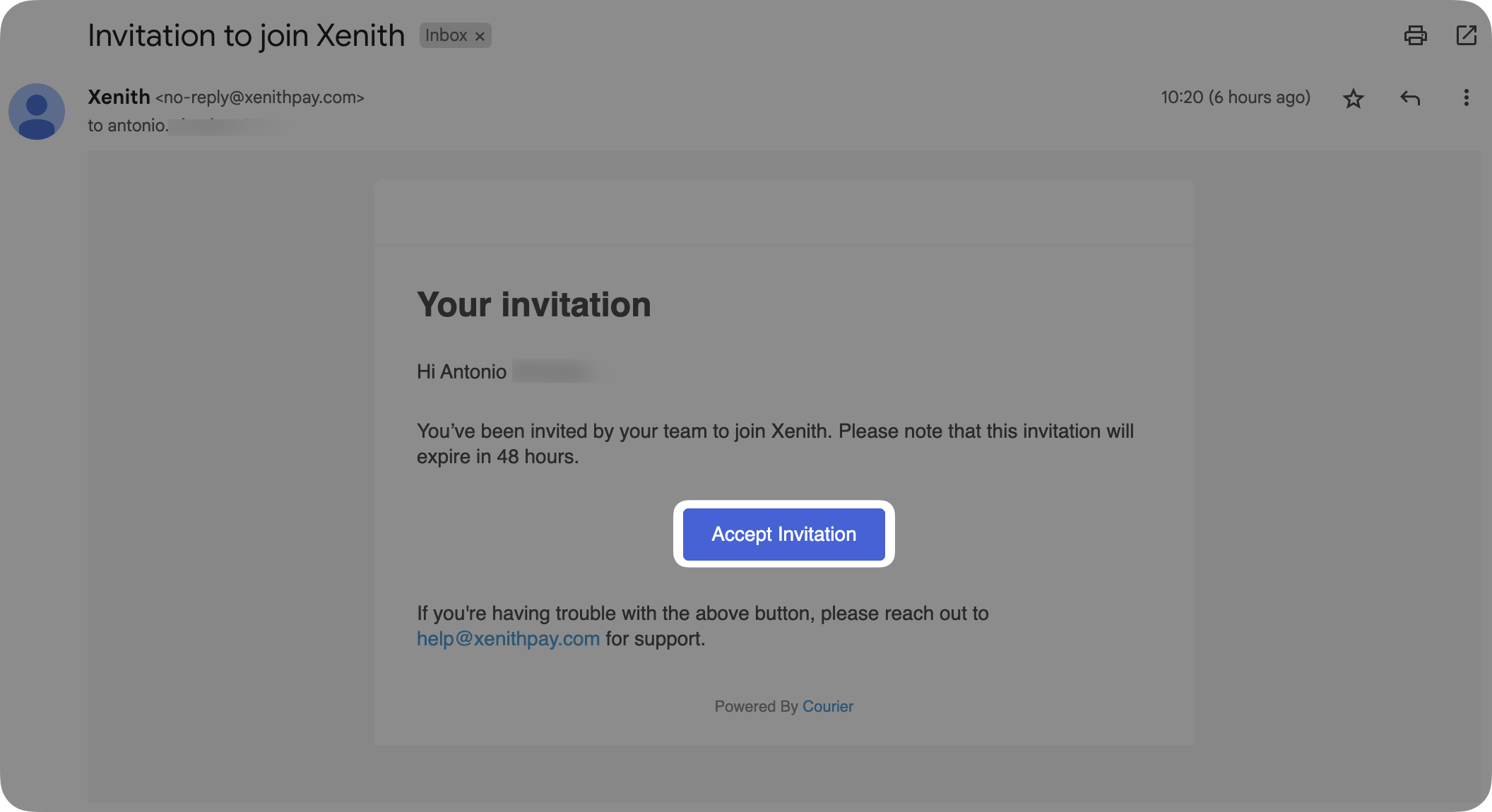
Email Invitation: You should have received an email from Xenith with a link to set up your account. Click on the "Accept Invitation" button and you will be directed to the set up page. Note: the link will expire in 48 hours.
-
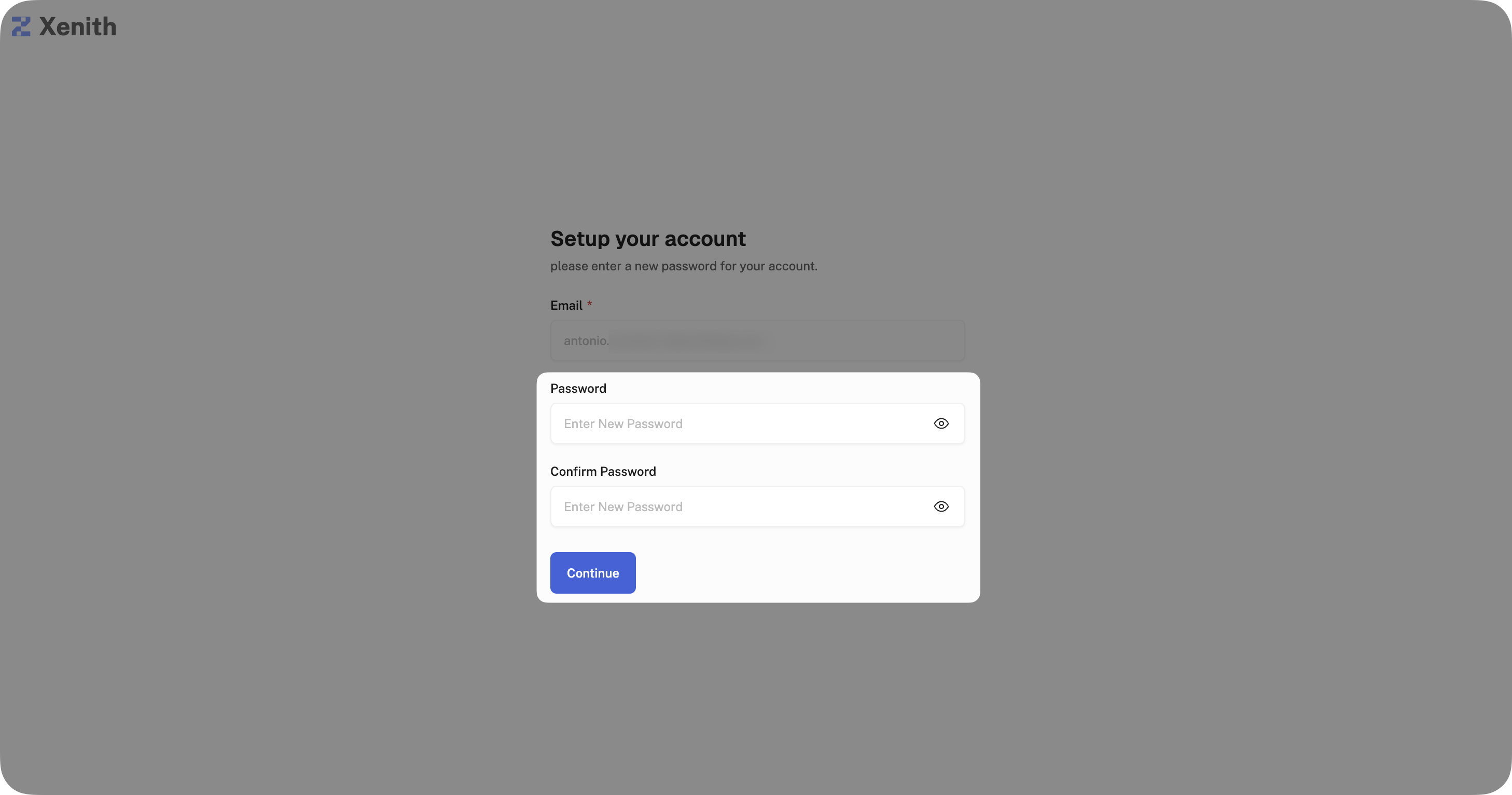
Create password: Create a secure password, and complete your account setup process.
Log In
Logging in into the Xenith Dashboard gives you access to manage your payments, view transactions, and configure your account settings. Follow these steps to log in to your account:
-
Visit the Login Page: Go to the Xenith Dashboard login page
- Sandbox: https://sandbox.app.xenithpay.com/
- Production: https://app.xenithpay.com/
-
Log In Options: Log in with one of the following methods:
-
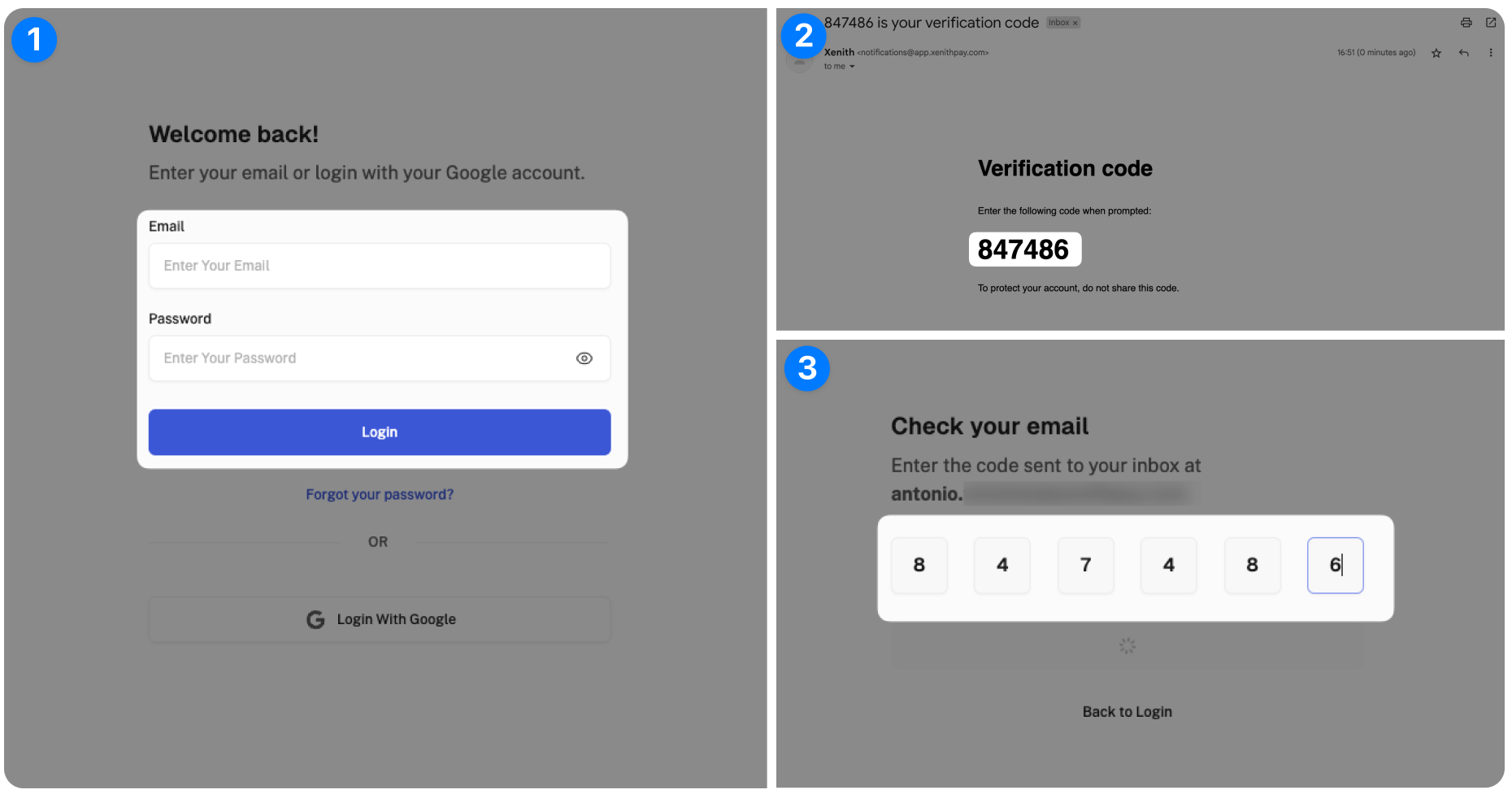
Using Credentials: Log in using your registered email and password. Xenith sends a one-time password (OTP) to your registered email for each login attempt, ensuring that only authorized users can access your account.
-
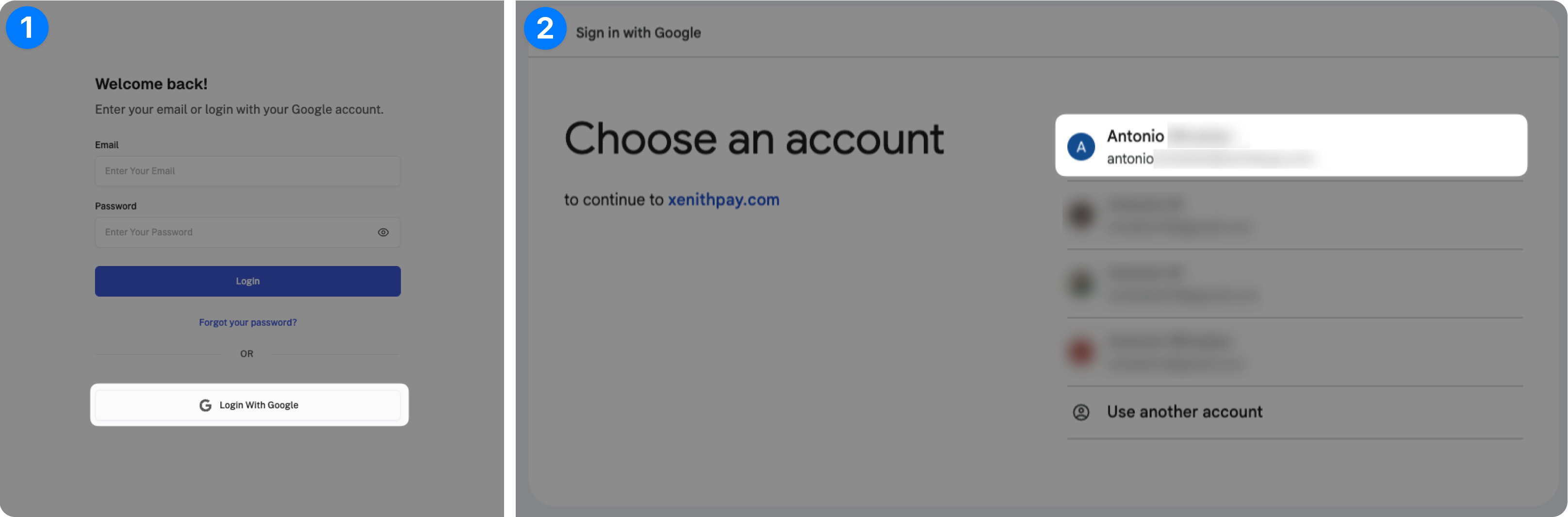
Using Google SSO: Alternatively, you can sign in using Google Single Sign-On (SSO) by clicking the “Login with Google” button.
-
Updated 16 days ago