
Financial Hub
The Financial Hub is a centralized dashboard that allows you to view aggregated balances across multiple organisations within an Organisation Grouping. It provides a consolidated view of balances by payment currency in one place.
This module is available only if:
- You have access to multiple organisations under an Organisation Grouping.
- The Financial Hub module permission is enabled for your organisation.
If your organisations are not part of an Organisation Grouping, or if you have access to only one organisation, the Financial Hub tab will not be visible.
Key Features
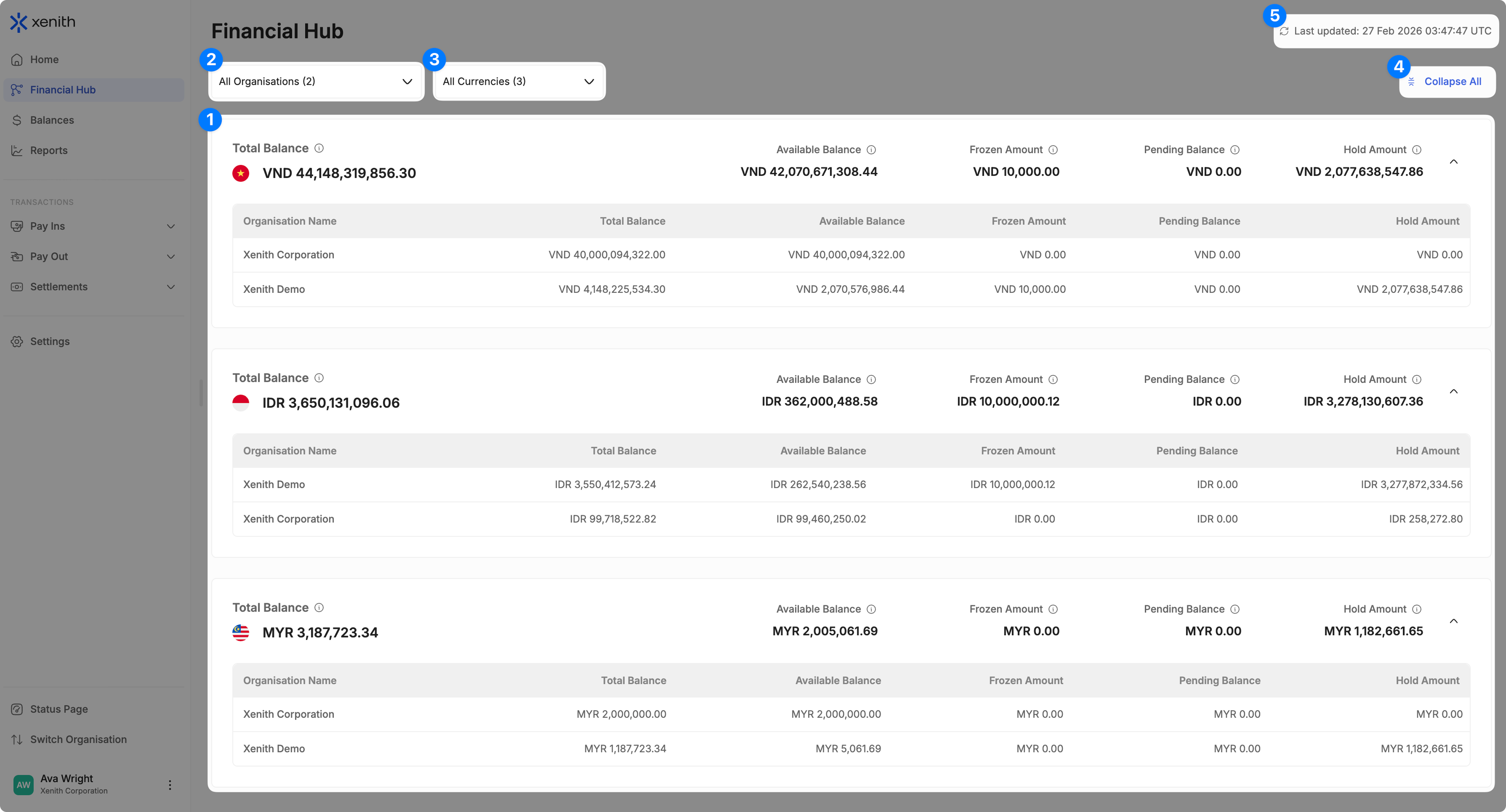
- Aggregated Balances by Currency and Organisation: View consolidated balances grouped by payment currency across all selected organisations. This provides a clear overview of your total exposure per currency while still allowing visibility into individual organisation breakdowns.
- Filter Organisations: Use the dropdown menu to select or deselect organisations. The dashboard will update automatically to reflect aggregated balances based on your selection.
- Filter Currencies: Use the dropdown menu to select or deselect currencies. The displayed balances will adjust according to your selected currencies.
- Collapse / Expand All: Toggle the Collapse / Expand All option to show or hide the detailed balance breakdown.
- Last Updated Timestamp: The most recent update time is displayed at the top-right corner of the dashboard and is adjusted according to your selected timezone. You can wait for it to auto refresh every 5 seconds or click the refresh icon to immediately refresh it.
Updated 7 months ago
Did this page help you?