

Payment Page Simulation
The Payment Page Simulation provides an interactive preview of Xenith’s payment experience. It allows you to explore how different currencies, payment methods, and payment channels appear and behave throughout the checkout journey. You can switch between desktop and mobile views during the simulation using the device selector at the top of the page.
The simulation does not require an account or integration and can be accessed at demo.xenithpay.com.
Note: This is a simulation environment. All transactions and payment details displayed are mock data. No real payment is processed, no funds are transferred, and no payment information is stored.
Simulating a Transaction
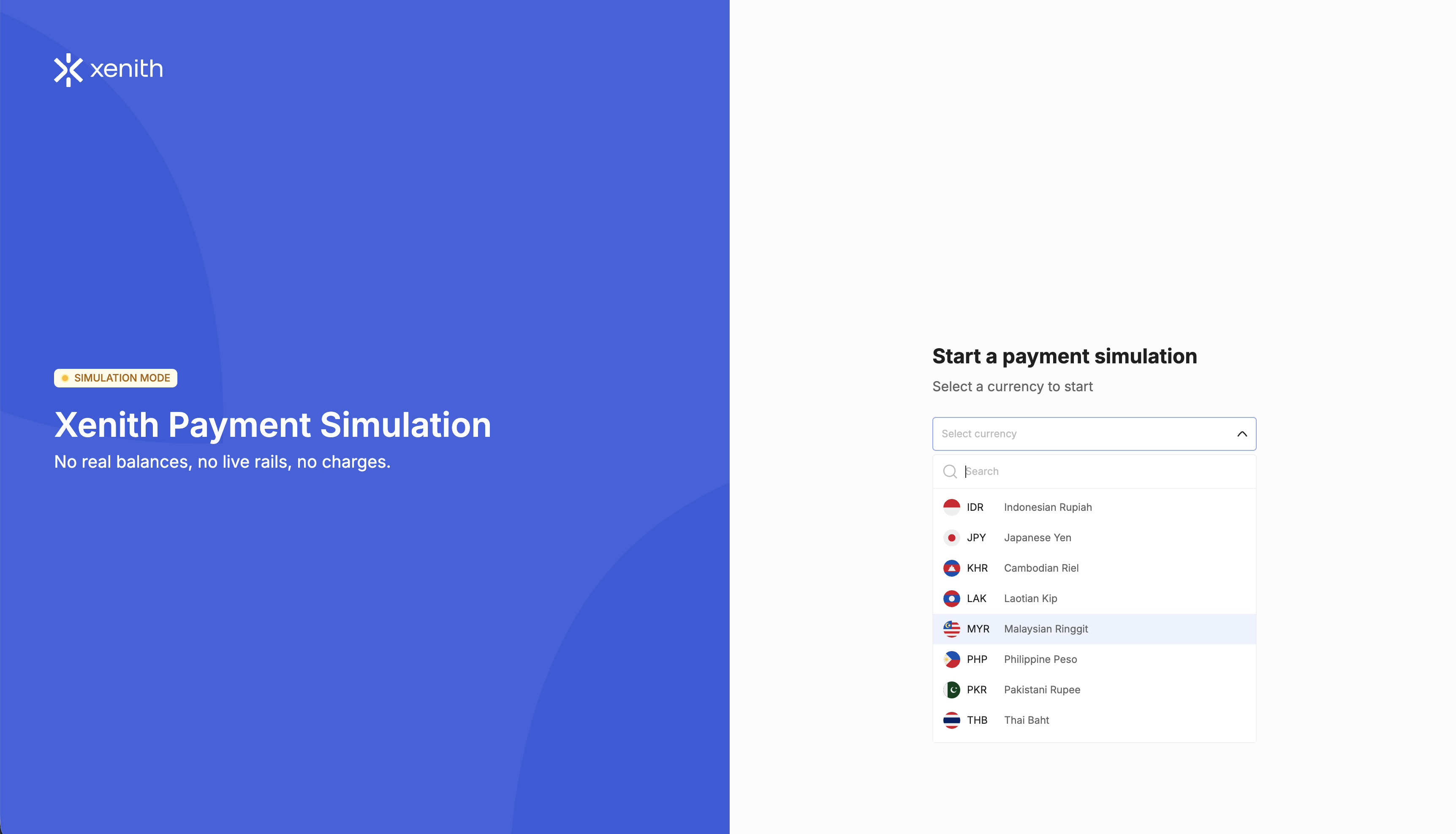
- Select a currency — Select the currency you want to explore, then click Start Simulation.
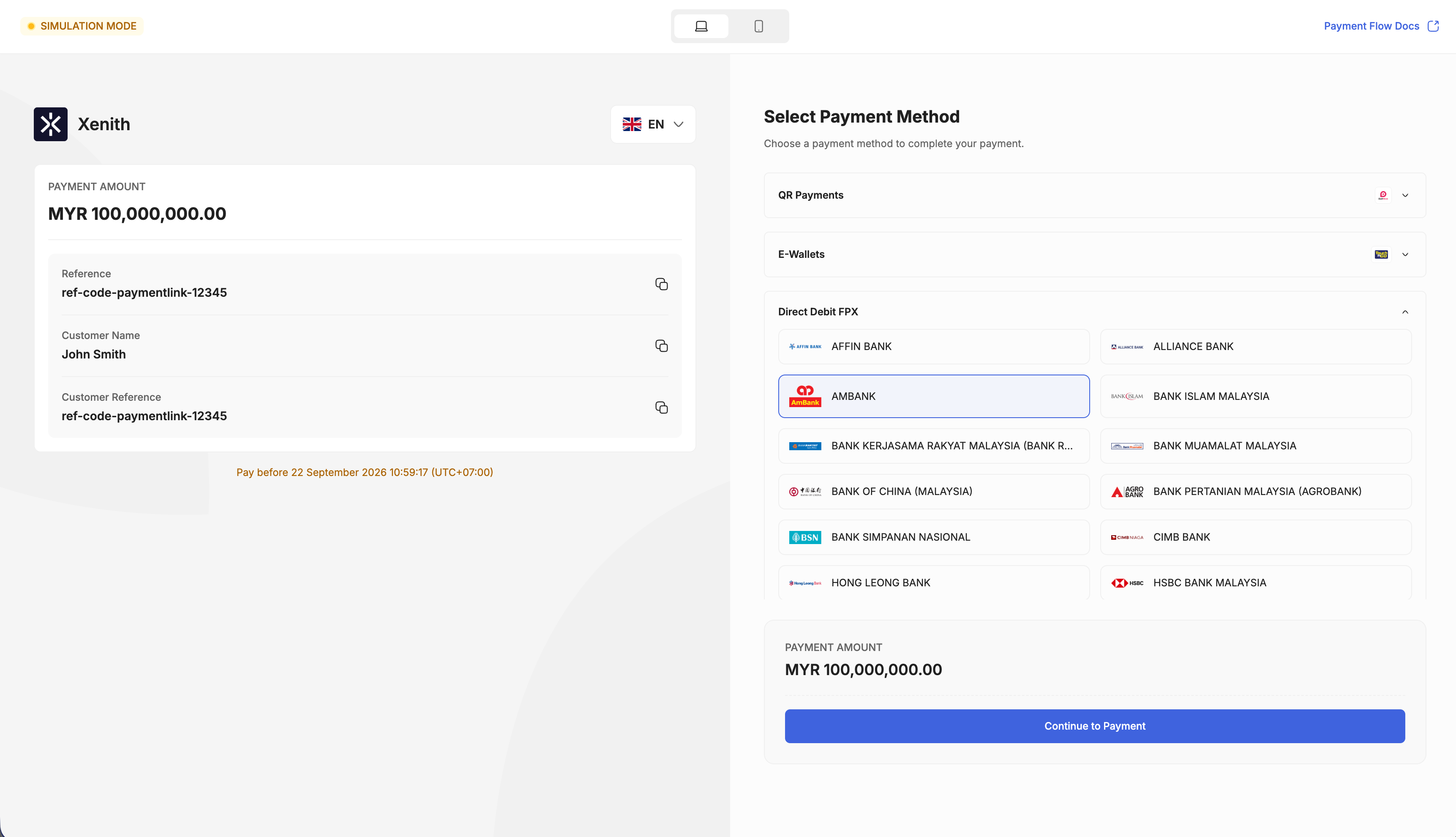
- Select a payment method — Review the payment amount and transaction details, then select an available payment method and payment channel. Click Continue to Payment to proceed.
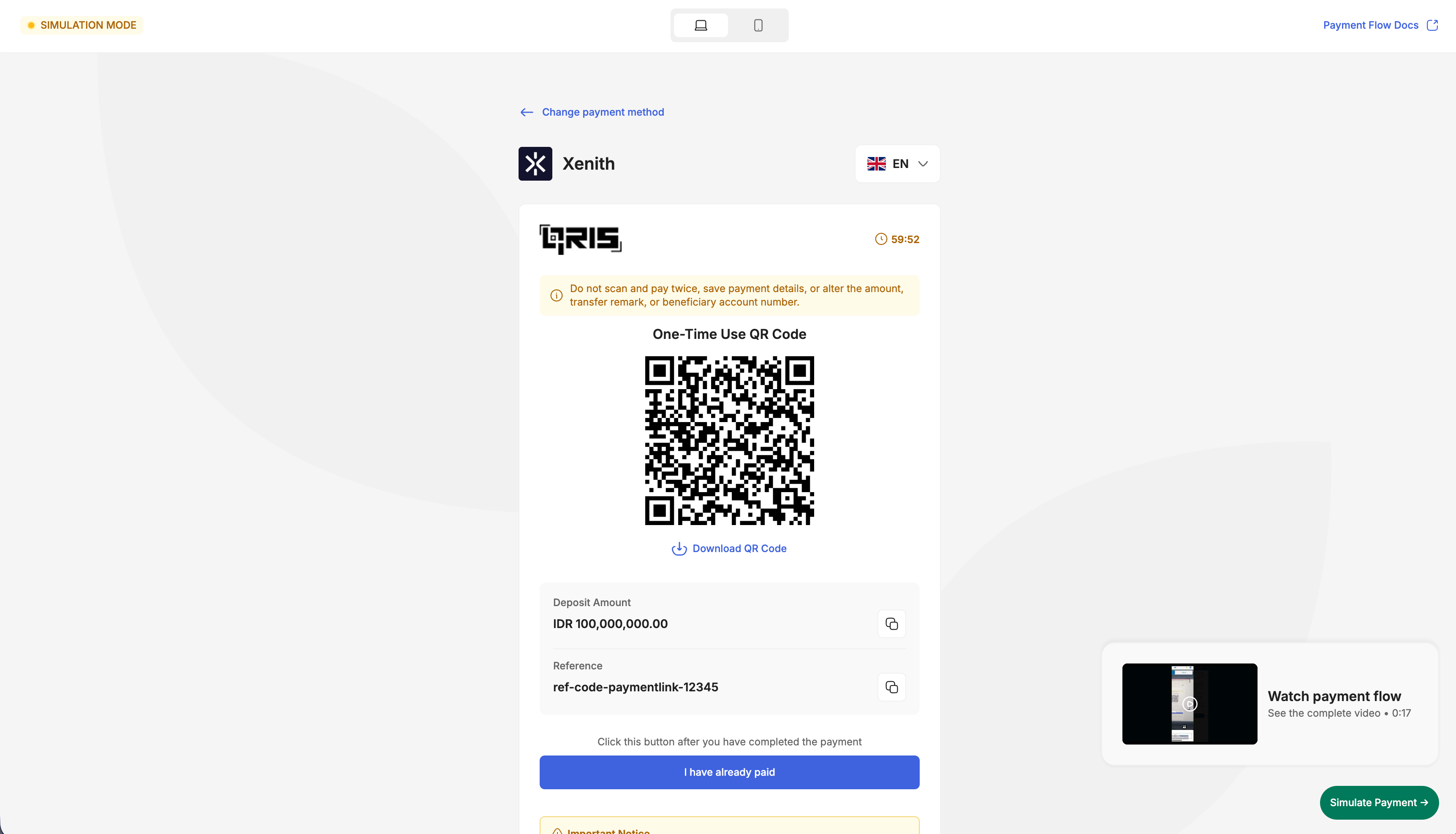
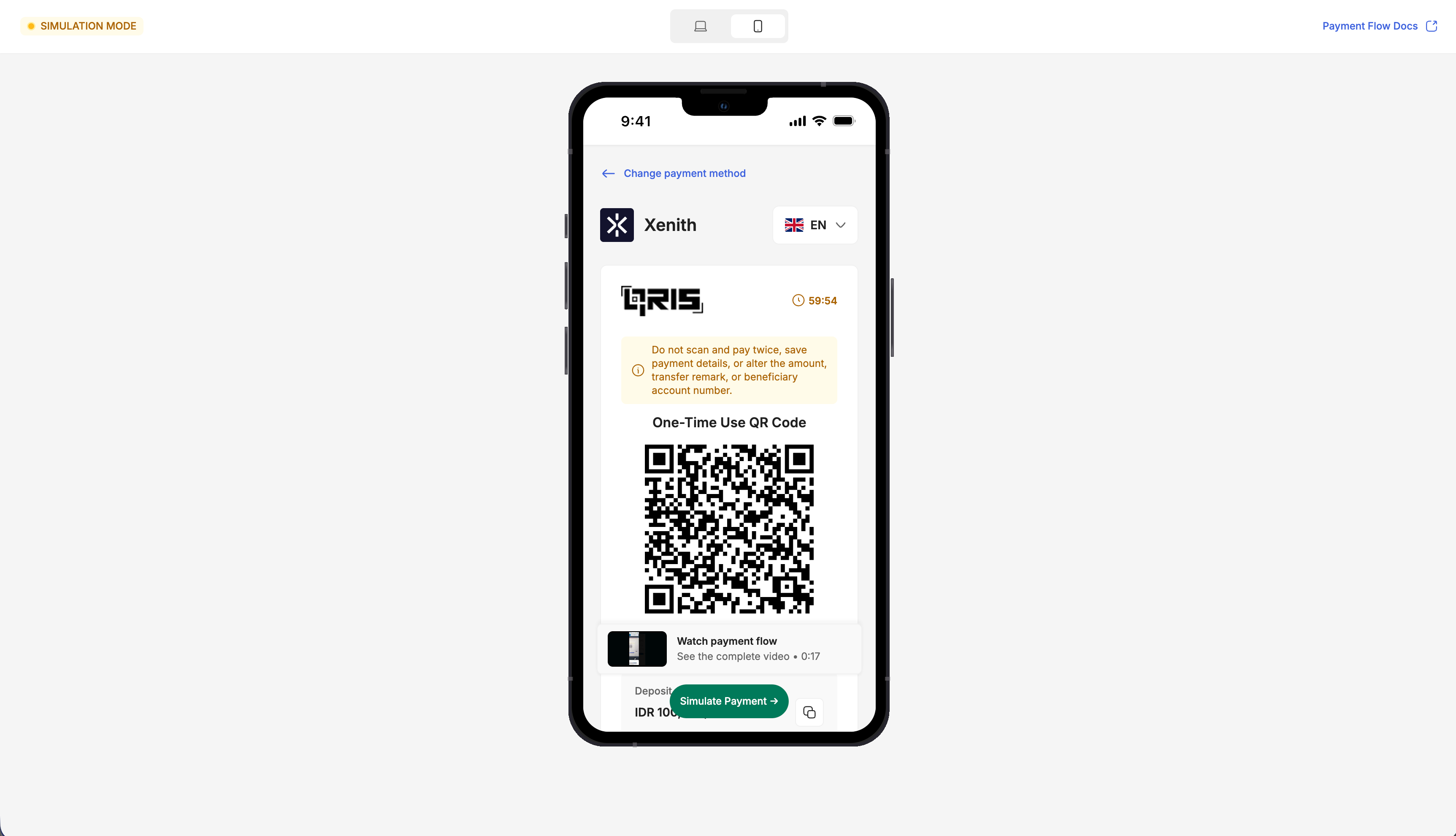
- Explore the payment flow — Review the payment instructions displayed for the selected channel. Depending on the channel, you may see payment details, a QR code, a mock login page, or a mock redirection page. If a payment-flow video is available for the selected channel, click Watch payment flow to see how the payment is completed. Switch Between Desktop and Mobile View by selecting the View Mode on the top of the page.
- Complete the simulation — Click Simulate Payment or follow the on-screen instructions to complete the flow.
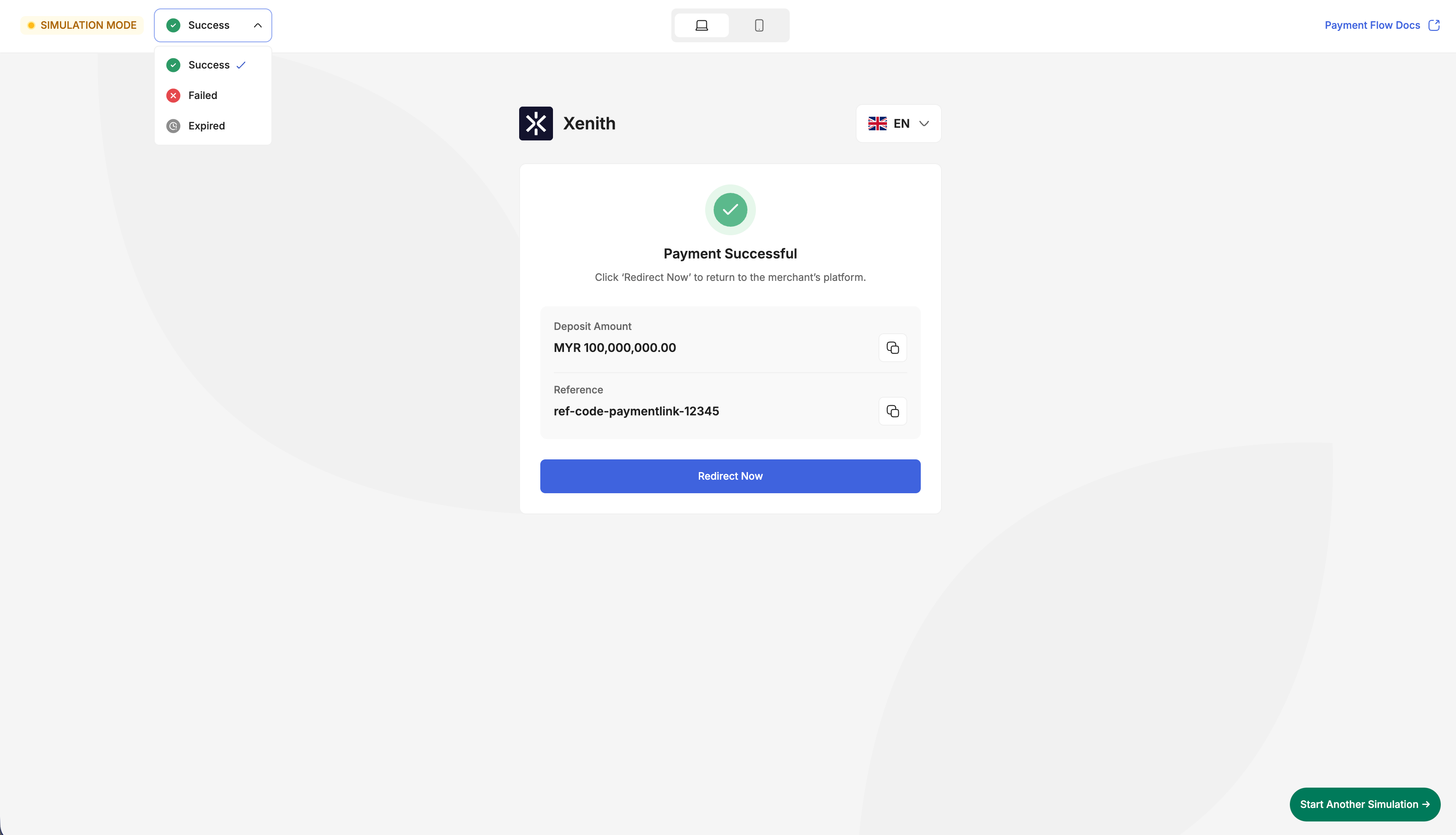
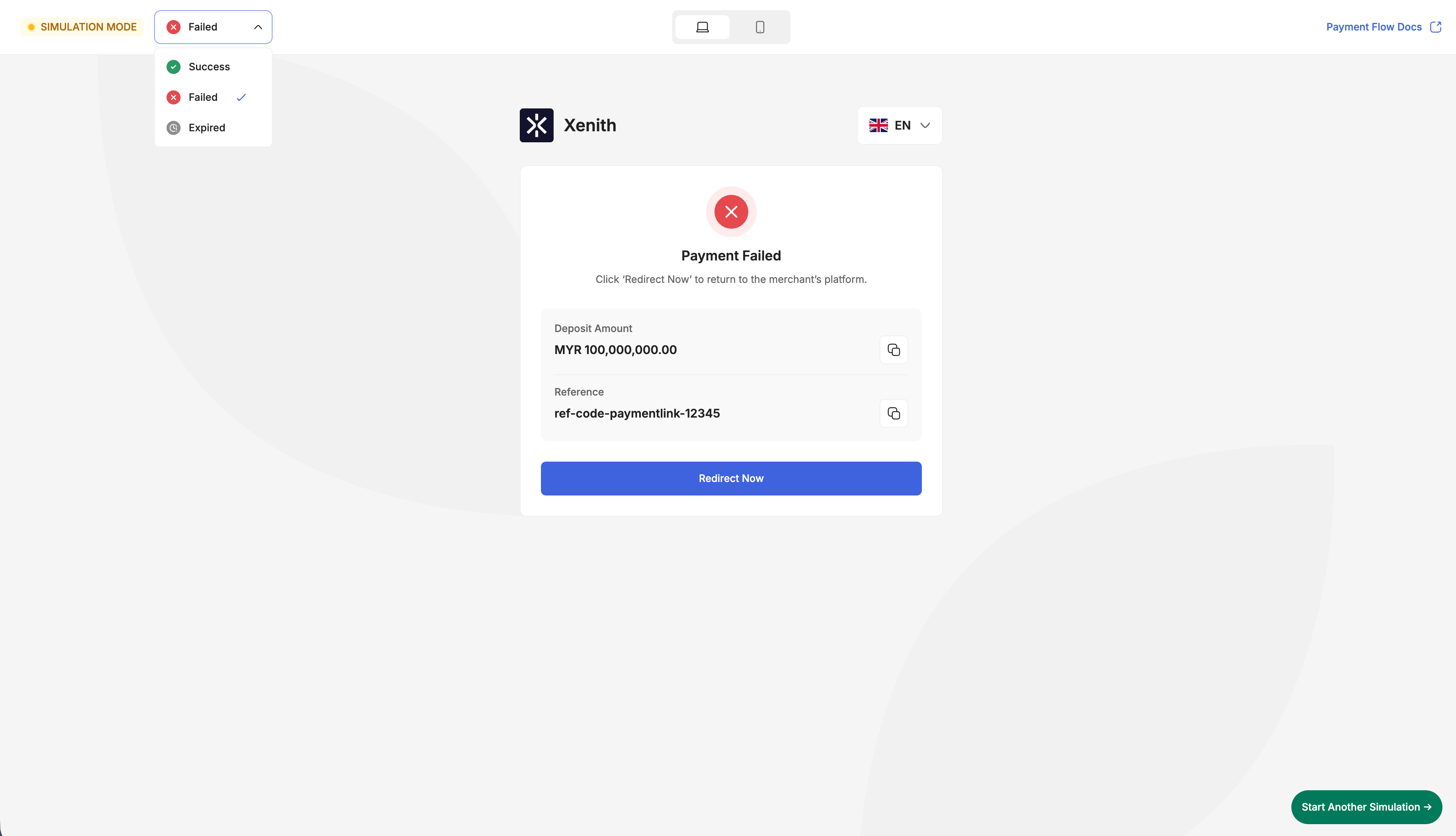
- View the simulation result — Once completed, the result page displays the simulated payment as Success, Failed, or Expired. Click Start Another Simulation to explore another currency or payment method.
Simulating Transaction Outcomes
The Payment Page Simulation can display the following transaction outcomes:
| Status | Description |
|---|---|
| Success | The simulated payment was completed successfully. |
| Failed | The simulated payment was unsuccessful. |
| Expired | The simulated payment session expired before it was completed. |
Choose the desired result from the Transaction Outcome options on the top of the page.
Updated 8 days ago